Edit Block Window
The Edit Block pane allows you to edit the following tabs:
Basic
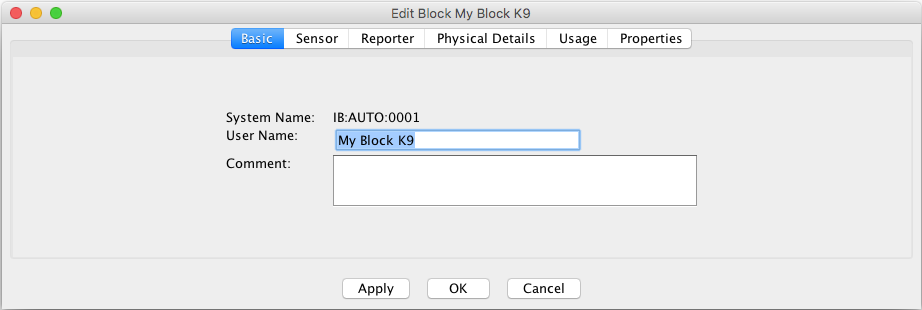
This provides basic information about the Block, as entered on its creation:
-
System Name - The system name of the Block. There is no functional
requirement for a type letter in the System Name of a Block, but by convention we use 'B'
for 'Block'. The default implementation is not system-specific, so a system letter of 'I'
is appropriate. This leads to system names like "IB201".
-
User Name - The user name of the Block. The user name of a Block
created here may be set to any text. Before changing or removing a block user name, a
check is made to see if the user name is used by a Layout Editor panel. If so, a warning
is displayed. For changing the user name, if Yes is selected, the panel
references will also be changed.
-
Comment - You may enter any text in this field that will help you
distinguish this Block from other Blocks, or provide useful notes about its use.
Sensor
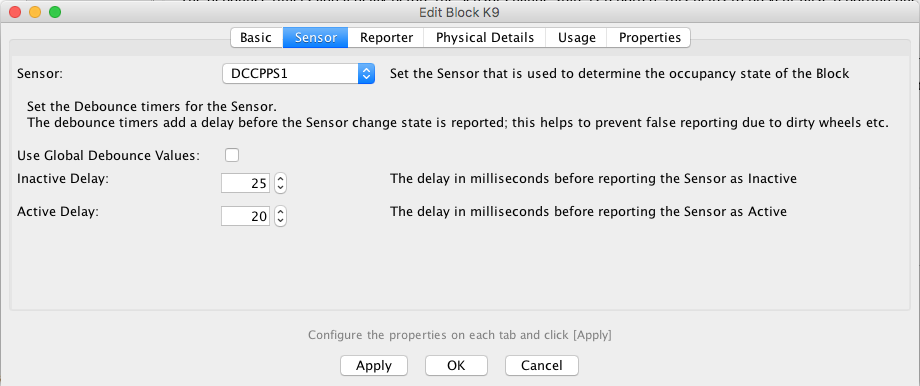
This tab allows you to assign a Sensor to the Block to change the occupancy state. It also
allows certain information about the Sensor to be changed:
-
Sensor Select the Sensor from the drop down list that will be
associated with this Block.
- You can edit the Sensor Debounce options from this tab;
setting the Sensor Debounce helps to prevent false triggers of a Sensor being passed into
the system and triggering other events in the system. Such false triggers could be due to a
dirty piece of track or electrical interference.
The Use Global Debounce Values check box, allows you to select if
the sensor will use the default sensor debounce values if configured.
Inactive Delay and Active Delay allow you to specify
the amount of time in milliseconds that the system waits before registering the state
change of a sensor.
Reporter

Physical Details
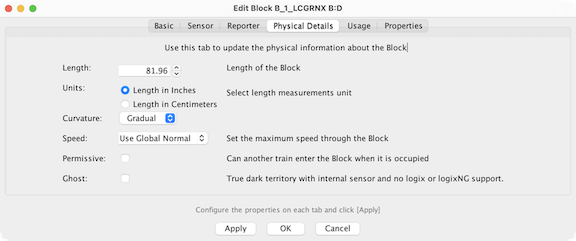
Describe the geometry of the Block using the fields shown.
|
|
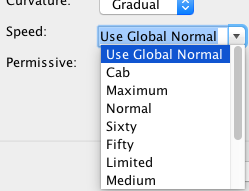
Speed options:
- Use Global Normal
- Cab
- Maximum
- Normal
- Sixty (MPH)
- Fifty (MPH)
- Limited
- Medium
- Slow
- Restricted
- RestrictedSlow
- Stop
|
- Length (optional) - Displays the length of the Block. Optionally, you
may enter the length of the Block here. The length is used for automatic running of trains.
If '0.0' is displayed, the length has not been entered. The entered length should be the
actual length of the Block on the model railroad layout. Length is entered and displayed in
either inches or centimeters, depending on which unit is next in the Block Table.
- Units - Choose one of both as the unit for the Block Length
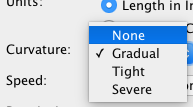
- Curvature (optional) - Displays the curvature selected for the track
in the Block. Curvature is used for automatic running of trains, and need not be entered if
trains will not be run automatically. Curvature, if present, indicates to the computer that
it should slow the train as it runs through the Block. If None or
Gradual are selected, an automatic train will proceed at normal speed.
Tight should be selected if the train should slow down some;
Severe should be selected if the train should slow by a maximum amount. If
the Block has variable curvature, your selection should be made according to the most
limiting part of the Block.
- Speed - The speed is used with certain automation tools and logic, to
help determine the speed at which a train can be set through the block. It is also used by
the Signal Mast Logic for determining which Aspect should be displayed in a signal
path.
In the drop down list, you are presented a set of named fixed speeds that have been
predefined in the signalSpeed.xml file, in addition to a global option.
It is also possible to enter a numerical value to represent a speed. The global value is
set via the Speeds menu option.
- Permissive - The Permissive option is used to identify Blocks that can
be entered by another Train while it is already occupied. This option is used with certain
automation tools and Logix to help determine if a Train can enter an occupied Block and
what Aspect should be displayed on its Signal Mast.
- Ghost - The Ghost option is used by Dispatcher to simulate block
occupancy for blocks that don't have real occupancy sensors.
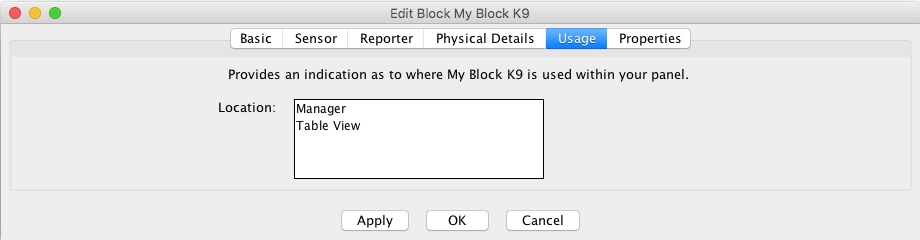
Usage
This is an information field, showing where you have the Block displayed on a Panel:
Properties
More information on Blocks
More information on using Blocks with Layout
Editor
Back to the Block Table Help page.
